
I put Templify down in December 2024. Not because I stopped caring about it, I just started the new job, PowerPay ate most of my attention, and side projects have a way of quietly sliding to the bottom of the pile when real life gets busy.
Recently I picked it back up, and this time the development loop looks completely different, because AI is now genuinely part of it, not just something I bounce ideas off of like I mentioned in the June 2024 post. More on that further down, because it deserves its own section (and yes, I'm aware of the irony of an AI writing a chunk of this post about AI).
For context on the scale of it: the tracked diff between where I left off and now spans 289 files, roughly 26,000 additions and 4,800 deletions. That number alone doesn't mean much though - lots of code isn't the interesting part. The interesting part is that what started as "a tool for reusable text templates" has slowly turned into something that feels more like a proper workspace for structured documents.
Update summary
- Rich document editing with typed placeholder fields
- Full-screen workflow for longer documents
- Version history with recovery
- Template duplication
- AI-assisted generation, rewriting and translation
- Image and media management
- Static public pages and a substantial platform upgrade (Next.js 14 → 16, React 18 → 19)
Rich editing with typed fields
The old plain-text templates with ##(Label)-style placeholders are gone. Templates are now rich documents built on BlockNote, so you get real headings, lists, links and formatting - not a wall of plain text pretending to be a document.
The {{Label}} placeholder syntax is still there (I'm attached to it at this point), but it's no longer just a string that gets replaced at export time. Each one is a real typed field now - text, multiline, number, date, dropdown, or image - and clicking a field in the input sidebar scrolls the document to that spot and highlights it, and vice versa. It sounds like a small thing until you're filling in a ten-field contract and you no longer have to hunt for where "{{Start Date}}" landed in the document.
 Image: typed placeholder fields, each rendered with the right input type
Templates can also carry static images now (a logo, a signature block, whatever doesn't change per use), separately from the per-fill image fields I'll get to below.
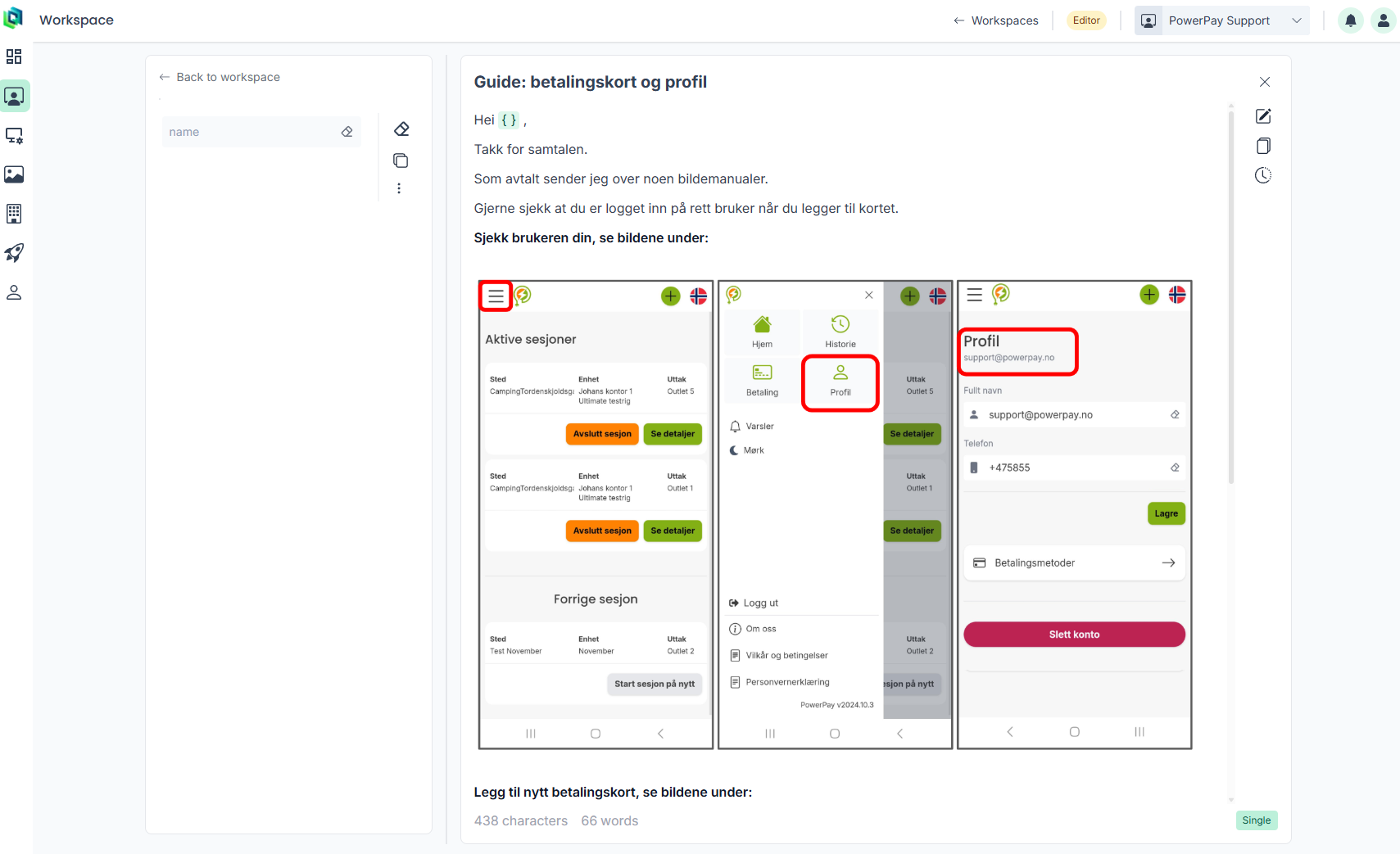 Image: a static image sitting inside the document body, unrelated to any input field
Documents get their own full-screen mode
Some templates aren't a quick note, they're actual documents - onboarding packets, contracts, that kind of thing. Templify now classifies these automatically based on length and gives them a compact reference card in the workspace grid instead of cramming a huge document into the same layout as a two-line template. Opening one drops you into a dedicated full-screen view with a sticky field sidebar next to the document itself, and the URL is bookmarkable so you can link straight to one template.
This is also where version history lives. Meaningful saves get snapshotted automatically, and you can see who changed what and when, and restore an old version with one click - no full page reload, the card just updates in place.
 Image: the document view and version history modal, together
I don't have a diff viewer between versions yet (nor for collections), that's a known gap, not an oversight.
Duplicating and forking
You can now duplicate a saved template outright, or "save as new" from staged edits without touching the original. Small feature, but it removes a genuine amount of friction - before this, "I want 90% of this template but slightly different" meant either editing the original and hoping you didn't need the old version, or copy-pasting text into a blank template by hand.
AI-assisted generation, rewriting and translation
This is the feature I'm most pleased with. There's a third "create template" option now - Generate with AI - where you give it a topic, a format hint, a tone and a language, and it drafts a full structured template, with {{Label}} placeholders that automatically become real fields, not inert text you have to convert by hand.
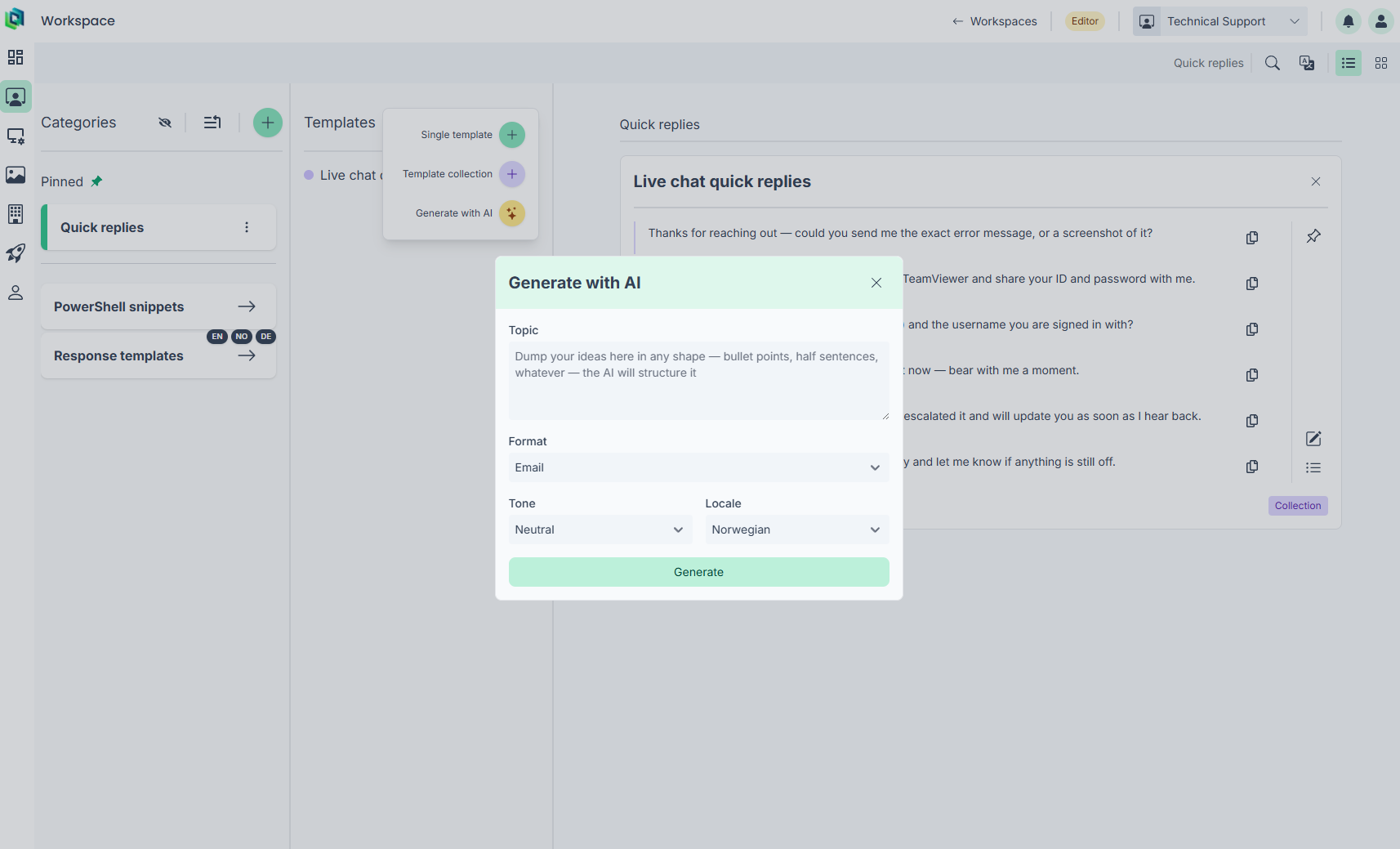 Image: the Generate with AI modal
You get to review the draft and give feedback before it becomes a real template, rather than the model's first attempt just landing straight into your workspace. The same idea extends to selection-level actions inside any existing template too - translate, rephrase, fix grammar, shorten or formalize a chunk of text, either replacing it in place or inserting the result below so you can compare. Locale tags on templates mean the "translate" action can default to whatever the template's other language variant is, which is a nice little detail I didn't originally plan for, it just fell out of having locales as a first-class concept.
Image and media management
Templates can now hold image placeholder fields too - so instead of every use of a template having the same static logo, someone filling it in can drop a case-specific image straight into the document.
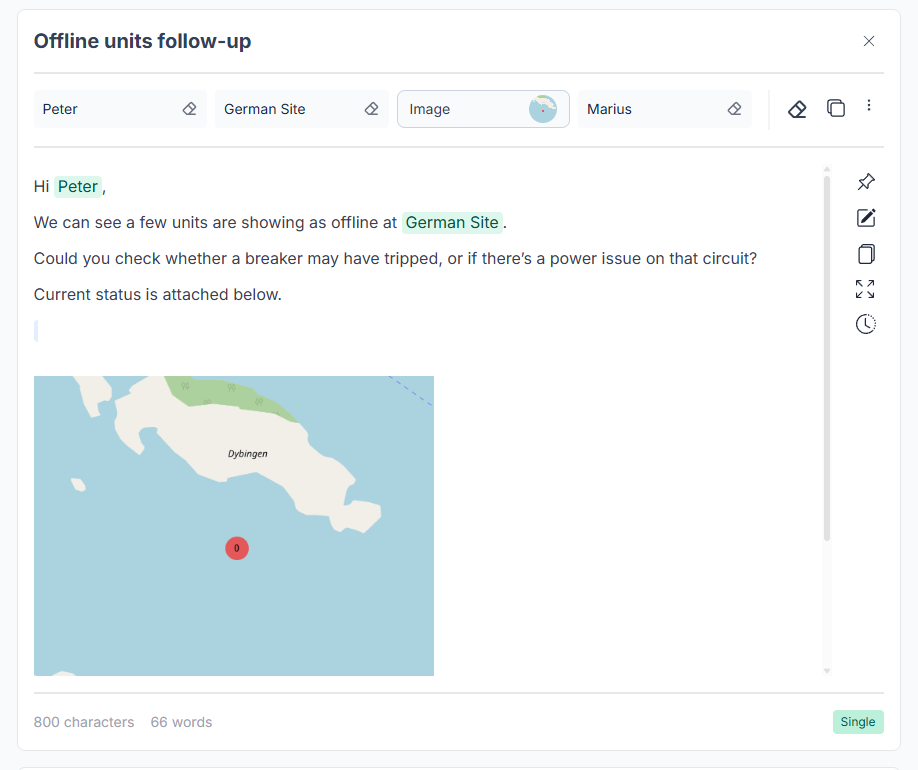 Image: an image placeholder field, filled and rendered in view mode
Behind that is a proper workspace media library - search, reuse, delete, publish, and revoke, with images living in a many-to-many relationship to templates so one upload can be reused across several of them. Revoking a shared image warns you which templates would be affected first, which took embarrassingly long to get right, because "which templates use this image" turned out to not be a trivial query once collections and versions were in the picture.
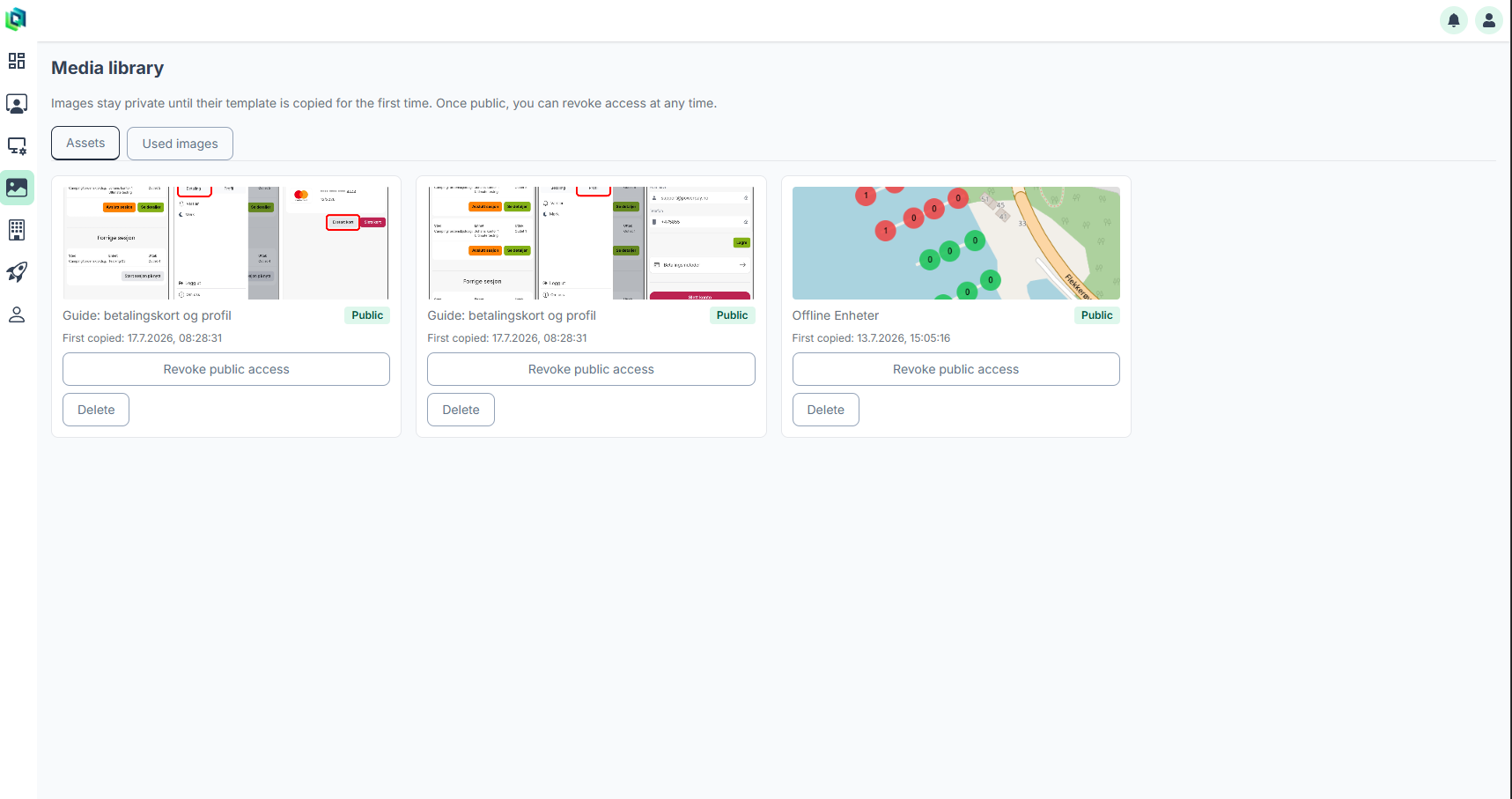 Image: workspace media library, revoke action visible
Static pages and a platform upgrade
The public marketing pages (13 of them, in English and Norwegian) are now fully statically generated - 26 route variants, zero server compute for a visitor just browsing the site. Underneath all of this, the whole platform moved Next.js 14 → 16, React 18 → 19, and a handful of other majors along with it. Not glamorous, but necessary, and it's the kind of upgrade that's much easier to justify doing properly when AI can chew through the migration diffs for you instead of you doing it by hand across an entire codebase.
Billing is still at the "new orgs get the Free tier automatically" stage - real Stripe checkout and self-service cancellation are still not built. Being honest about what's not done yet is at least as useful to future-me as documenting what is.
A quick word on AI (yes, this post included)
I want to be upfront: I used AI a lot for this update, not just in the codebase but for this very post. I used to write these progress updates entirely myself, and it took forever - digging back through commit history, old notes, closed issues, half-finished docs, trying to reconstruct what I'd actually built over the past few months. This time I pointed an AI assistant at the diff, the doc summaries I'd been keeping, and my own scribbled notes, and had it draft the update. I'm still reading every word of it before it goes out (this sentence included), but the first-draft effort dropped from "an evening" to "a coffee."
That's roughly the pattern across the whole rebuild, honestly. AI has meaningfully sped up implementation, migrations, debugging, and documentation. But it hasn't replaced the actually hard part, which is still deciding what Templify should be and where the boundaries between features sit. AI can implement a direction extremely quickly once you've picked one - it's much worse at picking the direction for you. If anything, the faster code gets produced, the more it matters that the underlying model of the product and its architecture is actually right, because a fast implementation of the wrong idea is still the wrong idea, just delivered sooner.
What's next
Stripe is still the obvious next milestone - real checkout, webhook-driven subscription lifecycle, cancellation.
The project is still called Templify, though I suspect that won't be the final name. If you want to see it in motion rather than read about it, I added a small video grid to the Templify case study on my portfolio - including a walkthrough of filling out a Norwegian employment contract end to end.
Thanks for reading, as always.