Background
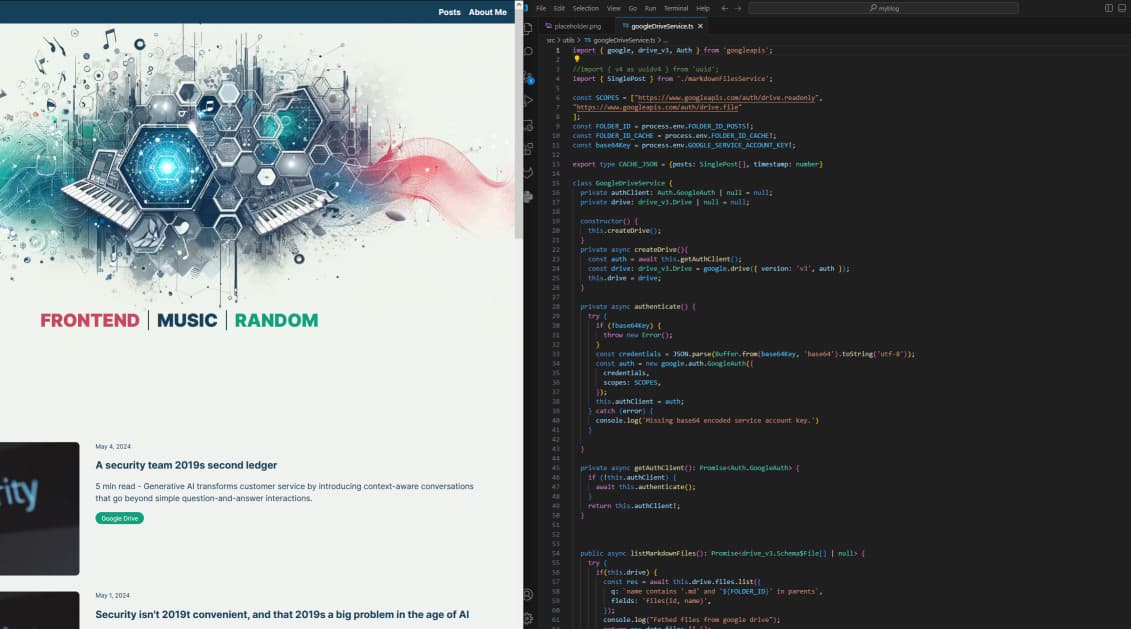
Initially, I wanted to make a blog page for my wife using Next.js. Simple enough, right? Well, I also wanted to avoid using a traditional CMS and instead use markdown for posts and other page content.
Features
The project can read markdown files from either the local project folder or from a folder in Google Drive. You can control the page metadata in the markdown files directly as raw text, which is very useful and super easy, like you see in the markdown example below.
---
title: "Creating this blog site"
date: "20/05/2024"
author: "Marius"
tags: ["Next.js", "Google Drive", "Markdown"]
description: "I never thought making a blog page would be this exciting and such a learning experience."
featuredImage: ""
slug: "creating-this-blog-site"
---
Features of the project:
- static site generation based on markdown files in the local project folder or a Google Drive folder.
- detecting slug duplication (does not mitigate, just ignore the entry and logs to the server terminal).
- file based caching, which was necessary during build (will explain later).
- Google Drive integration
.mdxfiles for static page content (like terms and conditions and privacy policies)
Also, I have a Node.js script for markdown template creation and a slugification script that goes through all the files and validates the slugs and fixes slug-duplications to ensure uniqueness.
A lot of work for just a blog, but it's getting pretty solid, and will be exciting to test out a file based approach to blogging rather than using a traditional CMS.
The Google Drive API is as far as I know free to use for anyone with a Google account. Just create a service account in Google Cloud Console and share access to a Google Drive folder by adding it as a user (it will have it's own email/username). Then download the JSON credentials file and encode the JSON to Base64 so you can slap that sucker into the environmental variable as one string.
MDX is awesome for static content
For content that doesn't often change, Next.js has support for rendering markdown files as pages or as react components inside a page, which is really useful for static textual content like terms and conditions, privacy policies, about, etc. Read more about markdown support for Nextjs in the docs.
import Content from '@/markdown/terms-and-conditions.mdx'

export default function Page() {
    return <Content />
}
Challenges I faced during the project
SSG during build
I have a class called MarkdownPostManager which is initiated first in the root layout.tsx. This class is responsible for either reading local markdown files or reading the file contents of a Google Drive folder, and looks for .md files.
class MarkdownPostManager extends GoogleDriveService {
  private static instance: MarkdownPostManager;
  private contentBaseUrl: string;
  private postsLocation: "local" | "online" | null;

  private constructor(postsLocation: PostsLocation, contentBaseUrl: string = 'src/markdown') {
    super();
    this.contentBaseUrl = contentBaseUrl;
    this.postsLocation = postsLocation;
  }

  public static getInstance(postsLocation: PostsLocation, contentBaseUrl: string = 'src/markdown'): MarkdownPostManager {
    if (!MarkdownPostManager.instance) {
      MarkdownPostManager.instance = new MarkdownPostManager(postsLocation, contentBaseUrl);
    }
    return MarkdownPostManager.instance;
  }
/*Rest of the methods*/
}
Here you can see that the Singleton pattern is properly imlpemented which normally would mean that only one instance of the class can exist. Well, for the most part this works like expected, except during build where especially the generateStaticParams() and generateMetadata() functions causes multiple new instances to be made, probably due to some concurrent processes during SSG, which in turn made it very difficult to ensure the data integrity of the private static field, holding the posts, which is remove in the code example.
Instead I went for a more robust solution, caching either the results in a .json file locally, for local posts, or in a .json file in Google Drive, for online files. This ensured a single point of truth for the data. I could have used tools design for this, but the whole point was to use only Google Drive or the project folder.
Not knowing enough about Vercel
I had some assumptions about how the project is hosted in Vercel where I thought that Node was run like in the local environment, meaning I have access to the fs module with both read and write, which it turns out that I can't due to Vercel using something called ephemeral storage. I had a solution for revalidating the data using Node which worked perfectly, but did not work on Vercel and I just couldn't figure out why not. I could read from the file, but not write to it.
Releasing the project as open-source
The thought was to release the project for everyone to fork on GitHub and adapt as they see fit, which I will do. You have configs / constants for data such as static media, metadata and static data such as the data in the footer. Also, I've used Tailwind, so you just go into the Tailwind config and change the colors of the primary and secondary colors, as shown below:
/*other code*/
 theme: {
    extend: {
      colors: {
        "primary": "#164059",
        "secondary": "#129F7B",
        "secondary-variant": "#C54860",
        "text-primary": "#164059",
        "text-secondary": "#FEFBFF",
        "light": "#F0F2F0",
        "light-variant": "#129F7B"
      },
    }
 }
/*other code*/
Conclusion
This has been an interesting project which was way more work than I had anticipated, but as with every project I do, it has been a great learning experience, especially learning more about how I can use Nodejs with in Next.js.